
Тестова стаття: чек-лист QA шаблонів блогу
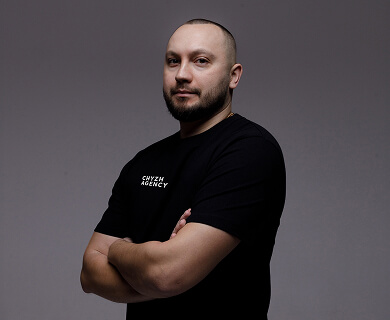 Євгеній Чиж
 This is a long-form test article we use to validate the blog templates after every theme change. It is intentionally written end-to-end so that every part of single.php — from the breadcrumbs to the related-posts grid — has real content to chew on.
Below you will find seven sections, each with a real heading, a couple of paragraphs and at least one list or quote. That is enough to exercise the table of contents, the schema markup, the reading-time helper, the heading-anchor injection and the typography rules in page-blog__content.
Why this article exists
The blog has been quiet for a while and the templates were last touched several months ago. Before publishing real material we want to make sure the page still renders correctly across all three active locales: English, Russian and Ukrainian. A throwaway one-paragraph post is not enough — too many parts of the layout only show up for longer content.
So this article is intentionally long, opinionated and structured. If anything looks off in production, we have plenty of surface area to point at.
Layout structure
A single blog post on this site is built from four columns, top to bottom: a page header with breadcrumbs and the post H1, a two-column area where the sidebar holds the table of contents and the subscription form, the main content with the featured image and key takeaways, and finally a related-posts grid that lives below the article body.
- Header section uses the
page-headerwrapper andblog_headerblock. - Sidebar floats on the left in
page-blog__sidebar. - Main column carries
page-blog__contentfor typography rules. - Below content we render
blog_relatedand any FAQ/CTA blocks the editor added.
Table of contents
The table of contents is built server-side. echizh_extract_toc_headings() walks the raw post content and pulls every H2 heading out. Then echizh_add_heading_ids() injects matching id attributes back into the rendered HTML so the in-page links resolve.
Editors do not need to do anything manual: as long as section headings are H2, they show up in the sidebar. H3 inside the body is reserved for FAQ blocks, and H1 is unique to the page header — so the heading hierarchy stays clean for SEO.
Schema.org markup
Three pieces of structured data ship with every blog post: a BreadcrumbList covering Home → Blog → article, an Article document with all the standard fields, and a referenced Person for the author. The author Person carries an @id that points at the teammate profile page, which lets crawlers follow the relationship to the full Person card on single-teammate.php.
The Article schema is enriched with description, inLanguage, articleSection, keywords and a Unicode-safe wordCount. image is attached when a featured image is set; otherwise it is omitted so we do not lie to Google about a non-existent picture.
If a field cannot be populated honestly, do not invent a placeholder — Google’s rich result test will flag it and the snippet quality will degrade.
Author from the teammate CPT
Authorship is decoupled from the WordPress user that hits Publish. The post has an ACF relationship field post_teammate pointing at the teammate CPT. The author card on the post page, the author byline in the listing, and the Article schema all read from that field — falling back to the WP user only when no teammate is selected.
The benefit is that a content team member can publish on behalf of a strategist, designer or developer without spinning up extra WordPress accounts. The byline always points to the teammate’s full profile page — same place the team block on /about-us/ sends visitors.
Related posts and CTA
echizh_get_related_posts() picks three posts from the same primary category, ordered by date. They are rendered with the same card template as the listing, so design fixes propagate everywhere automatically. CTA and FAQ blocks are now ACF blocks that the editor inserts into the post body — the template no longer hard-codes them at the bottom.
- Related grid:
blog_relatedblock, three cards. - Newsletter form: lives in the sidebar, posts to
echizh_subscribeaction. - FAQ schema is emitted by the
blog_faqblock, not by the template.
Multilingual setup
WPML is active with three languages — English (default), Russian and Ukrainian. Each post is a real translation, not a duplicate: the trid ties them together so the language switcher in the header sends visitors to the equivalent page rather than to the homepage. Categories are translated separately so the URLs read naturally in each locale.
The inLanguage field in the Article schema reflects the per-post WPML locale, not the site default. That matters: a Ukrainian article served at /uk/blog/... should announce uk-UA, not en-US, regardless of what the site falls back to when WPML is disabled.
Conclusion
If everything above renders correctly, the templates are healthy. Look for the breadcrumbs at the top, the TOC in the sidebar with anchor links, the author card with a working link, the publication date next to it, the related-posts grid below, and a clean schema payload in the page source. Any of those missing means a regression has slipped in.
Once the test passes in all three languages, we delete this article and replace it with real content. Until then, it stays put as a permanent canary.