
How to accept an app before it goes to the app stores
 Mykola Tabuchenko
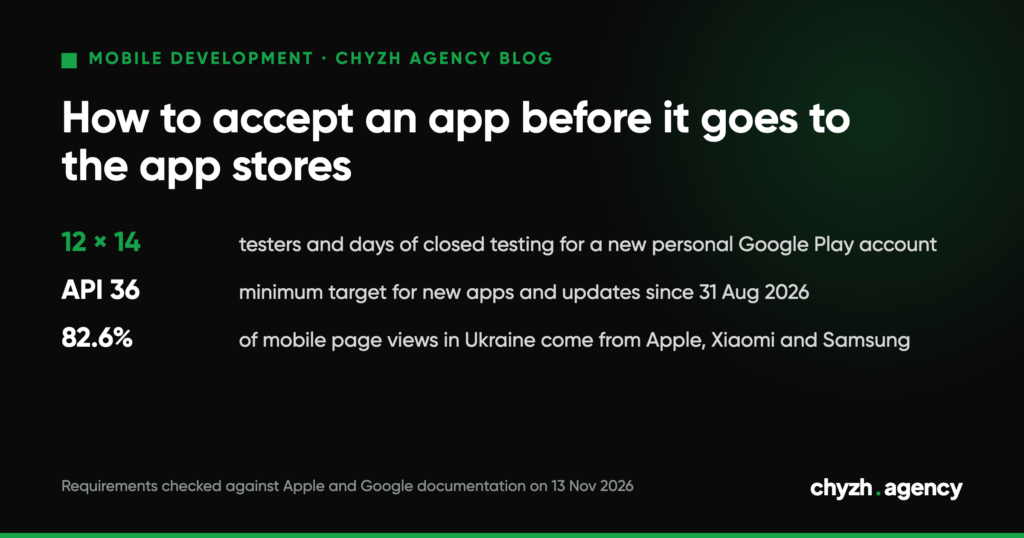
Short answer. Accepting an app means checking the test build (an APK for Android, TestFlight for iOS) against an agreed list before it is submitted to the App Store and Google Play. The product owner checks five things: how the app runs on the devices your audience uses, payments, accounts and access, analytics, and who is responsible for what after submission. Take store requirements from Apple’s and Google’s official documentation on the day you submit: as of 13 November 2026, Google accepts new apps and updates only with target API 36 (Android 16), and Apple accepts builds made with Xcode 26.
Two things delay a release regardless of code quality. One: the developer accounts are registered to the contractor. Two: a new personal Google Play account, which must run a closed test with 12 testers for 14 days in a row before it can publish.
What you get at acceptance: APK and TestFlight
The Android build arrives as an APK file you install on a phone directly, or through internal testing in Play Console: up to 100 testers, and a new build reaches them within minutes. You install the iOS build through the TestFlight app. A build stays available for 90 days, with up to 100 internal and up to 10,000 external testers, but Apple reviews the first build for an external group against its guidelines before testing starts.
Our clients get test builds throughout development, so by acceptance they already know the app. If the day of handover is the first time you see a build, plan more time for the check.
When a build is not ready for acceptance
There is no point in a full check if any of these is true:
- the server runs in test mode or gets switched off. Apple explicitly asks for backend services to be live for the whole review;
- placeholder text, empty screens or dead links are still there. That is guideline 2.1 on app completeness, and Apple says it accounts for over 40% of unresolved issues in review;
- there is no test account for the store’s reviewers. Google requires sign-in details that are reusable, valid from any location, bypass one-time codes and are in English;
- the developer accounts are registered to the contractor.
Which devices to test on
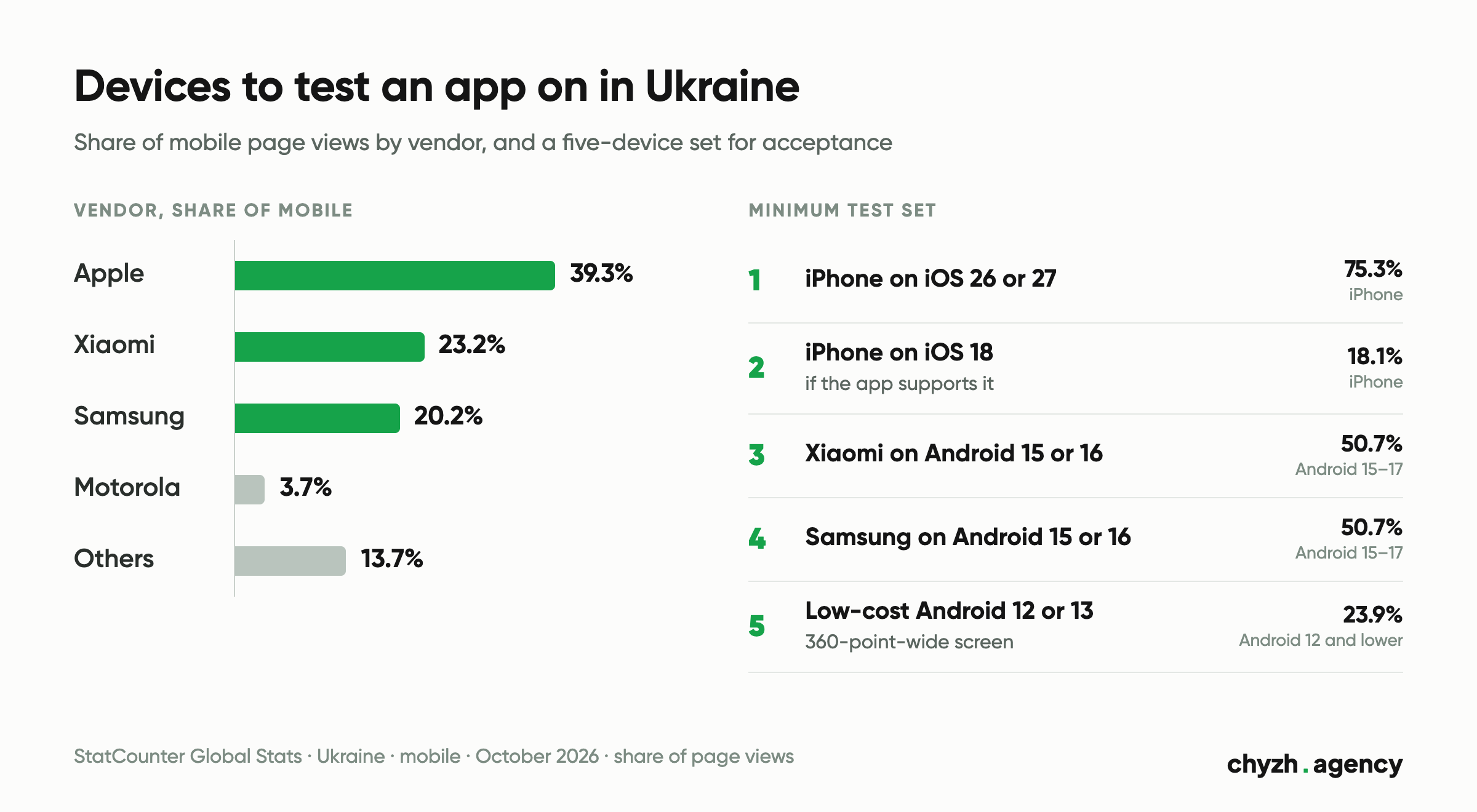
We took public StatCounter Global Stats data for Ukraine for October 2026 (mobile devices, share of page views) and built a test set from it. For another market, pull the same reports for your country.
| Metric | Share |
|---|---|
| Android among mobile | 60.7% |
| iOS among mobile | 39.3% |
| Apple, Xiaomi and Samsung combined | 82.6% of mobile (39.3 + 23.2 + 20.2) |
| Android 15–17 | 50.7% of Android devices |
| Android 13–14 | 25.0% of Android devices |
| Android 12 and lower | 23.9% of Android devices |
| iOS 26–27 | 75.3% of iPhones |
| iOS 18 | 18.1% of iPhones |
| iOS 17 and lower | 6.5% of iPhones |
| Screen width up to 360 points | 11.7% of mobile |
That gives a minimum set of five devices:
- An iPhone on iOS 26 or 27.
- An iPhone on iOS 18, if the app supports it.
- A Xiaomi on Android 15 or 16.
- A Samsung on Android 15 or 16.
- A low-cost Android 12 or 13 phone with a 360-point-wide screen. Truncated text and slow screens show up there first.
Limits of this data. StatCounter counts page views on sites that run its counter. It does not see app installs. An internal B2B app may run on identical company phones, and then the set should match those. If you have a website with analytics, compare the device shares of your own visitors.
Our QA tests builds on popular device models. Whoever builds your app, ask for the list of models and OS versions the tests ran on and compare it with the table.
The owner’s checklist before submission
Take the scenarios from the acceptance criteria in your mobile app requirements document. If it has none, write them before the first build.
Scenarios on devices
- Run the main scenario from install to the target action (order, booking, payment) on every device in the set.
- Turn off the internet mid-action, minimise the app and come back. No data should be lost.
- Push notifications: permission prompt, delivery, opening the right screen from the notification.
- Text in every app language fits on a 360-point-wide screen.
- If the build replaces an earlier version, install it over the old one: login and data must survive.
Payments, if there are any
- Subscriptions, premium features and digital content on iOS are sold only through Apple’s in-app purchase (guideline 3.1.1), and on Android through Google Play’s billing system. Physical goods and services, such as delivery or tickets, are paid for by other means: card, Apple Pay, Google Pay.
- Builds from TestFlight run in the sandbox automatically. No money is charged. A subscription renews daily, up to 6 times within a week, so renewal, cancellation and restoring a purchase can be checked within days.
- In Android testing, in-app purchases are charged for real unless the tester is on the license testers list in Play Console. Ask for your accounts to be added before testing starts.
- For card payments through a payment provider, check the provider’s test mode and a declined payment: the user must see a clear message. After release, make one real payment and refund it.
Accounts and access
- Register the developer accounts to your company before development starts. For an organisation, Apple requires a legal entity, a D-U-N-S Number, a person with legal authority to sign, a work email on the company domain and a working website; membership is 99 USD per year, and the organisation’s name appears as the seller on the App Store. For an organisation account, Google also asks for a D-U-N-S number, a website and phone numbers, and registration is a one-time 25 USD. D-U-N-S numbers are free, and Google specifically warns about third parties that charge for them.
- Give the contractor access as a user: in App Store Connect through Users and Access with the right role, in Play Console through an invitation with account-level or app-level permissions. When the work ends, you remove the access and nothing has to be transferred.
- The code repository, server, admin panel and the domain hosting your privacy policy should also be yours, or at least come with admin access for you. Our clients get GitHub access from day one, and code rights pass to them once the final milestone is paid.
- You need a test account for every role. PetsCare, for example, has separate areas for vets and clinics and for pet owners, and both need checking.
The account question reaches us through search, too. From 13 May to 11 November 2026, Google showed the 18 pages of our mobile development section for three visible queries that mention the app stores, and two of them (both in Ukrainian) were about registering a company developer account for the App Store and Google Play: 43 of 44 impressions, average position around 27, no clicks. The sample is small, but that is the question people ask.
Analytics
- The list of events (sign-up, main action, payment) belongs in the requirements document. At acceptance, trigger every event and check that it arrived and that test events stayed out of production data: that needs a separate test property or a filter.
- Standard Firebase reports will not show an event right away, because the app uploads events in batches roughly once an hour. For checking there is DebugView, which shows events from a test device in near real time.
- Every analytics and advertising SDK must be listed in the privacy declarations: App Privacy in App Store Connect and Data safety in Play Console.
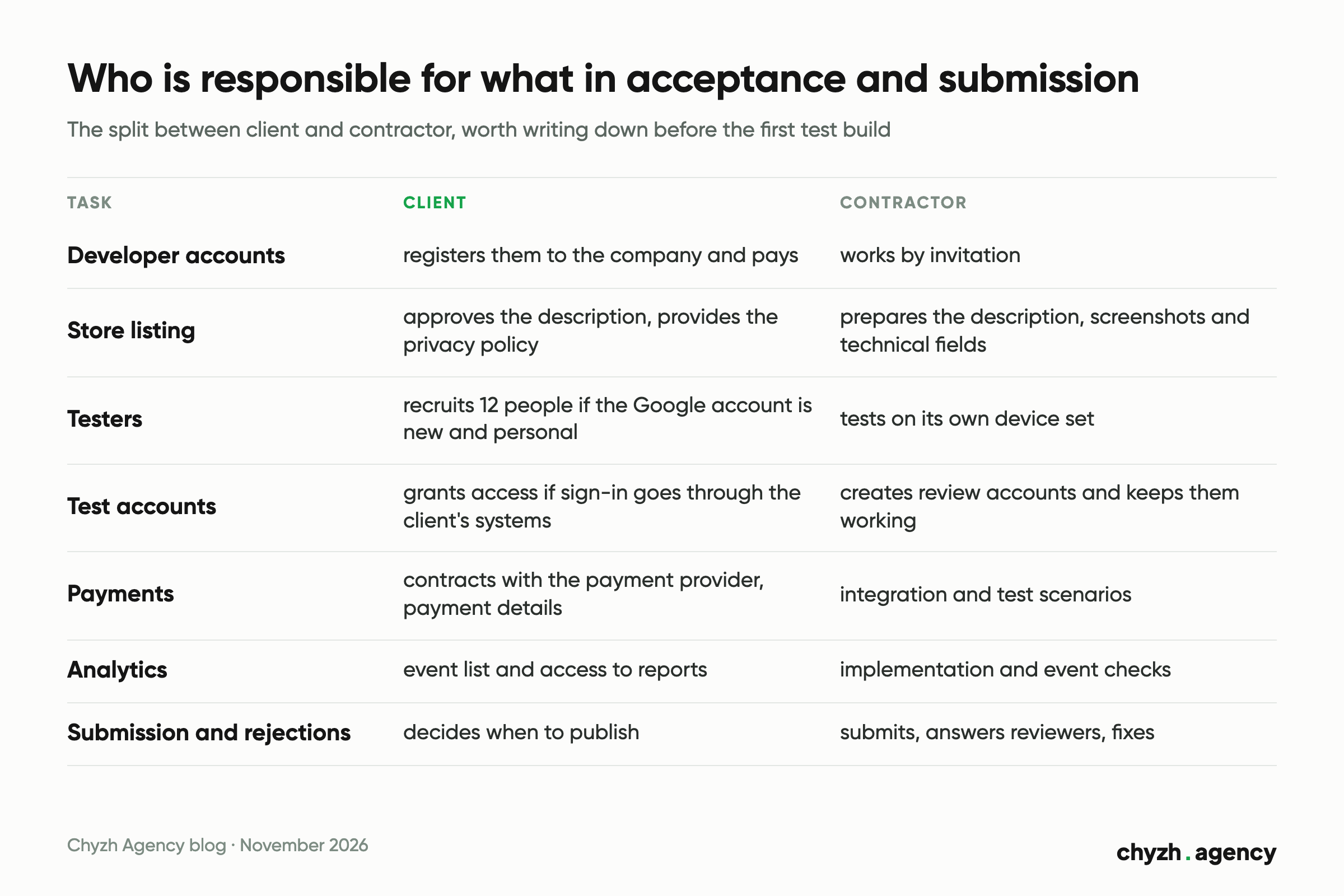
Who is responsible for what
| Task | Client | Contractor |
|---|---|---|
| Developer accounts | registers them to the company and pays | works by invitation |
| Store listing | approves the description, provides the privacy policy | prepares the description, screenshots and technical fields |
| Testers | recruits 12 people if the Google account is new and personal | tests on its own device set |
| Test accounts for review | grants access if sign-in goes through the client’s systems | creates the accounts and keeps them working |
| Payments | contracts with the payment provider, payment details in the accounts | integration and test scenarios |
| Analytics | event list and access to reports | implementation and event checks |
| Submission and rejections | decides when to publish | submits, answers reviewers, fixes |
With us, submission, store listing optimisation and handling rejections are part of the job. If a store rejects the app because of our mistake, we fix it for free.
What the stores require as of 13 November 2026
We checked the requirements against the original documentation pages on 13 November 2026. They change, so check them again before every release.
| Requirement | What it means at acceptance | Source |
|---|---|---|
| Built with Xcode 26 and the iOS 26 SDK, since 28.04.2026 | an older build cannot be uploaded to App Store Connect | Apple, Upcoming Requirements |
| In-app account deletion if the app has sign-up; Google also asks for a web page to request deletion | check both paths before submission | App Store Review Guidelines, 5.1.1(v); Play Console |
| Social login only together with an equivalent alternative | if there is Google or Facebook sign-in, check the second option | App Store Review Guidelines, 4.8 |
| Target API 36 (Android 16) for new apps and updates, since 31.08.2026 | ask for the build’s targetSdkVersion; extensions could be requested until 01.11.2026, and that date has passed | Play Console, target API |
| Closed test: 12 testers, 14 days in a row, for personal accounts created after 13.11.2023 | put those days in the plan | Play Console, testing requirements |
| Data safety covering every SDK | the form is required for closed and open testing already; only internal testing is exempt | Play Console, Data safety |
Not every page shows an update date. The App Store Review Guidelines were last updated on 16.10.2026, and the target API page on developer.android.com on 28.10.2026. Play Console Help does not show a date on the page, so for it we record only the day we checked.
If your test builds arrive as APK files, watch one more change. Google has announced that in 2027 developer verification will extend to all apps on certified Android devices (see Android developer verification).
How much time to allow between acceptance and release
The figures come from the stores’ documentation. Time to fix a rejection is not included.
| Platform and account | What happens after submission |
|---|---|
| iOS | Apple typically reviews at least half of submissions in under 24 hours and 90% in under 48 hours |
| Android, organisation account | no mandatory closed test; for certain accounts review takes up to 7 days, longer in exceptional cases |
| Android, new personal account | 14 days of closed testing with 12 testers, then an application for production access with questions about the test, then review |
For a business, we recommend an organisation account: it removes the mandatory 14-day test, and the store shows your company’s name. If you are still estimating your app MVP, put account registration in the first week of the plan.
What to do with defects and when to sign off
Describe every defect so it can be reproduced: device and OS version, build number, steps, what you expected, what you got, a screenshot or screen recording. In TestFlight, feedback with a screenshot is sent straight from the app.
The severity scale we suggest:
| Level | Example | What happens |
|---|---|---|
| Blocker | the app crashes, the main scenario cannot be completed, payment fails | the build is not accepted |
| Critical | an important feature has a bug with a workaround | fixed before submission |
| Normal | the bug does not stop the scenario | before submission or within the warranty, as agreed |
| Cosmetic | spacing, colours, wording | listed for the next update |
The build can be accepted when no device in the set shows blockers or critical defects, and the rest are listed with deadlines.
After release, a warranty applies, and its length depends on the project type. Per the table on our service page as of 13.11.2026: an MVP for one platform 1 month, a mid-size project 2 months, a complex project 3 months, enterprise 3+ months of support. The table gives no warranty term for a cross-platform MVP or a VR/AR app. The first 30 days of support after release are free. Put in the contract how those 30 days relate to the warranty and which term applies to your project type.
The final payment can be tied to an accepted test build or to a build the store has already approved. In the first case the rejection may arrive after payment, so write into the contract in advance who pays for the fix then. For an internal app that never goes to the stores, an accepted test build is enough.
What to do today
- Check whose name the Apple and Google developer accounts are in. If it is the contractor’s, agree on a transfer before submission.
- Ask the contractor for the list of devices and OS versions the tests ran on, test accounts for every role and the list of analytics events.
- Add this checklist to the acceptance criteria. If you are still choosing a contractor, ask about test builds and access in the first call; we collected the other questions in how to choose an app development company.
How we handle app testing and release, with prices, timelines and warranty by project type, is on our mobile app development page.
Author: Mykola Tabuchenko, Senior Mobile Developer. Reviewed by: Serhii Kolodynskyi, Head of App Development.
Sources: App Store Review Guidelines (last updated 16.10.2026); Apple App Review page; Apple Upcoming Requirements; App Store Connect Help on TestFlight, purchases in TestFlight and users; Apple Developer Program enrollment; Apple App Privacy Details; Play Console Help on testing requirements for new personal accounts, test tracks, target API level (developer.android.com page last updated 28.10.2026), preparing for review, sign-in details for review, account types and registration, Data safety, account deletion, the Payments policy and account users; the Android developer verification page; Firebase documentation on DebugView (last updated 12.11.2026). All checked against the original pages on 13.11.2026. StatCounter Global Stats, Ukraine, mobile, October 2026, downloaded 13.11.2026. Google Search Console, chyzh.agency property, 18 pages of the mobile development section, 13.05–11.11.2026. Prices, timelines and warranties: Chyzh Agency mobile app development page, 13.11.2026.
Related articles
By our calculator model, the same app costs $17,450 or $27,650 depending on what the...
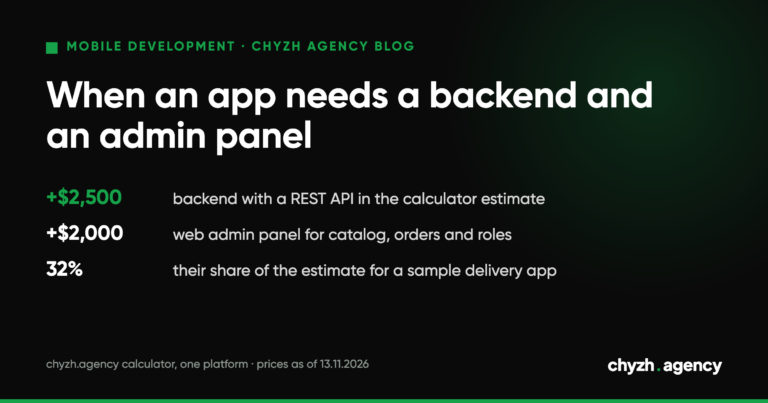
Does your app need its own server and admin panel: a feature table, data schema,...
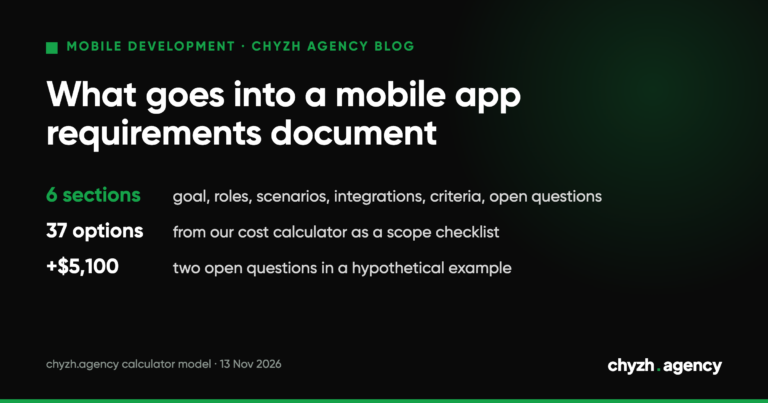
What the client writes and what the team adds: roles, scenarios, integrations, acceptance criteria. A...