
Google Maps profile gets views but no calls: what to check
 Viktoriia Repetuk
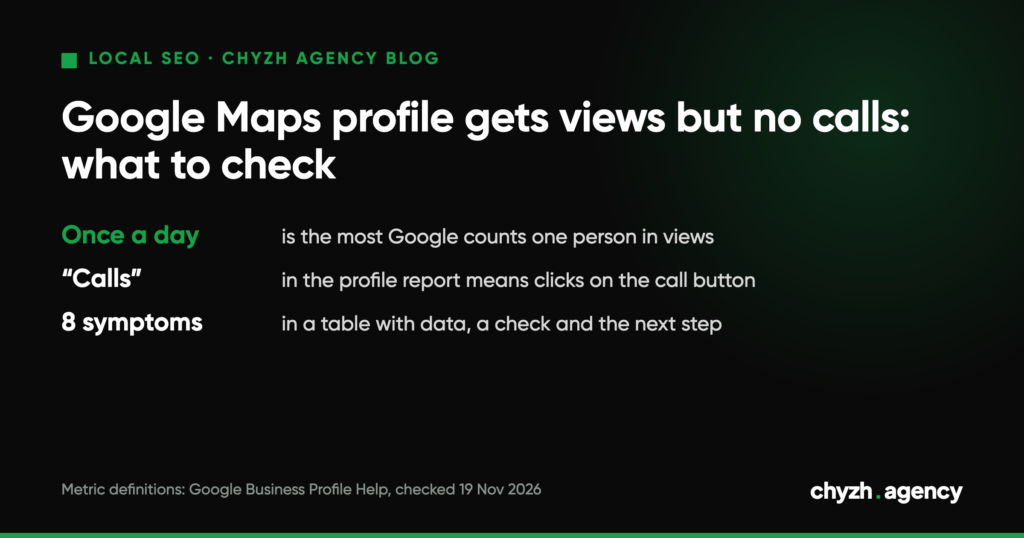
Short answer. Views in your Business Profile report show how many people saw the listing. They don’t tell you whether those people were looking for your service or whether they managed to reach you. Calls usually get lost in one of four places: the profile is shown to the wrong people, getting in touch is awkward, the website doesn’t lead to an action, or the calls do come in but they’re off-target or nobody counts them.
You can’t diagnose the problem from the views number alone.
What Google counts as views and calls
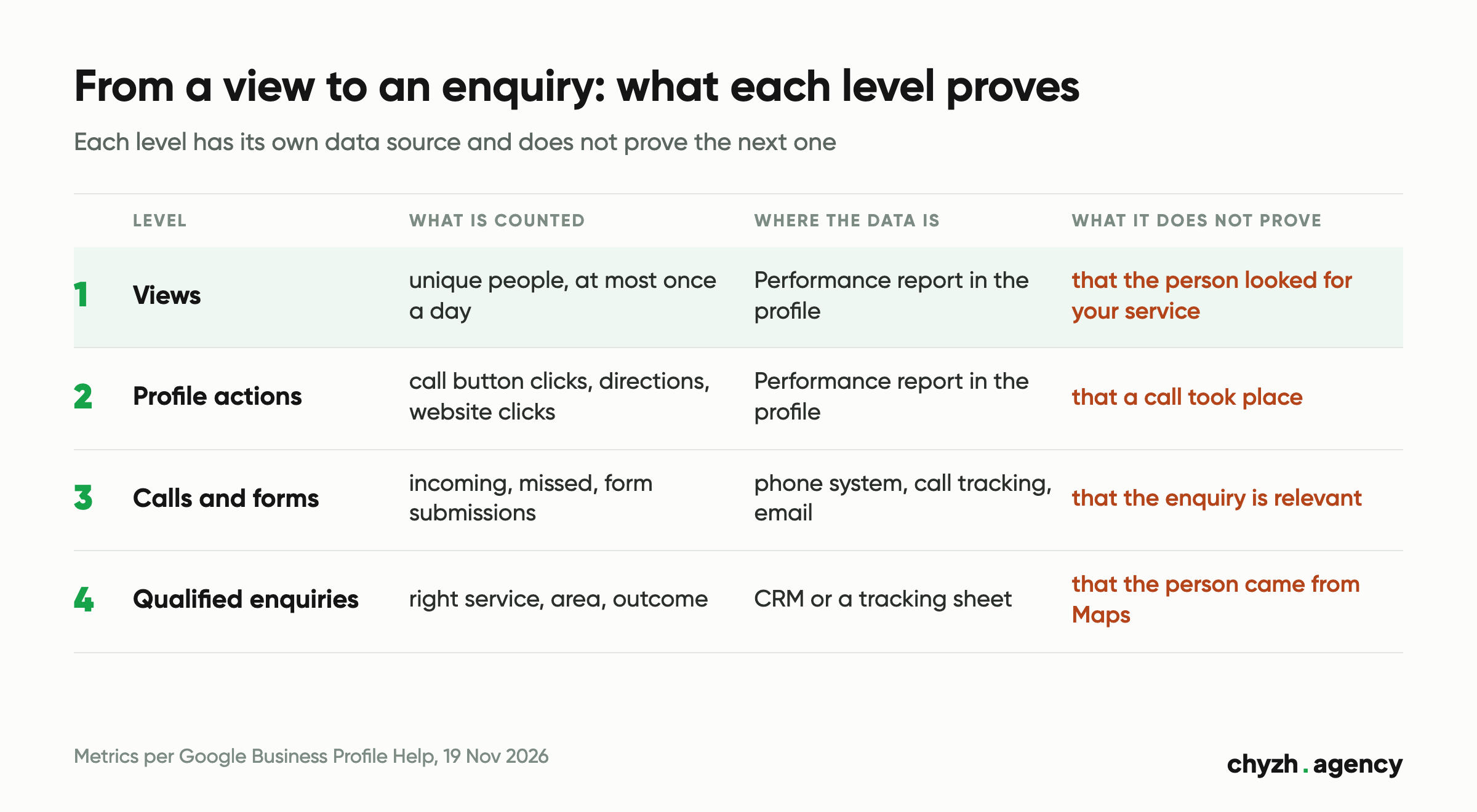
The Performance report is only available for a verified profile and only from the Google Account linked to it. That’s what the help article Understand your Business Profile performance & insights says. The same article describes what each metric counts (text checked on 19 Nov 2026):
| Metric | What Google counts | What it doesn’t show |
|---|---|---|
| Views | unique people who viewed the profile on Search and Maps; one person is counted at most once a day | which search showed them the profile, and whether they wanted your service |
| Searches | the search terms people used to find the business; updated at the start of each month, up to 5 days late | how many of those people got in touch |
| Calls | clicks on the call button in the profile | whether a conversation happened or anyone picked up |
| Website clicks | clicks on the website link in the profile | what the person did on the website |
| Directions | direction requests, excluding repeated taps, cancellations and spam | whether the person actually came |
The Business Profile Performance API documentation (updated 16 Oct 2026) splits the same views into Search and Maps, desktop and mobile, and counts several impressions by one person within a day as one.
Two more details from the help article matter for diagnosis. The data covers both organic search and Google Ads, so if you ran ads, ad views and clicks are mixed in with organic ones. And the report only shows the metrics that apply to your type of business.
A zero in the Calls row means nobody clicked the button. Someone may have copied the number and dialled it by hand: the call happened, but it never reached the report. It works the other way too: a click with no conversation, because the person changed their mind or nobody answered. How many calls actually took place is visible only in your phone system or call tracking.
If you’re not sure the profile is verified, or that there’s no second listing of your business on Maps, start here: how to add your business to Google Maps without creating a duplicate. Actions on a duplicate listing never show up in your report.
Metric names and the path to the report are taken from the help article as of 19 Nov 2026. Your profile’s interface may differ slightly.
Hypothetical example: same views, different causes
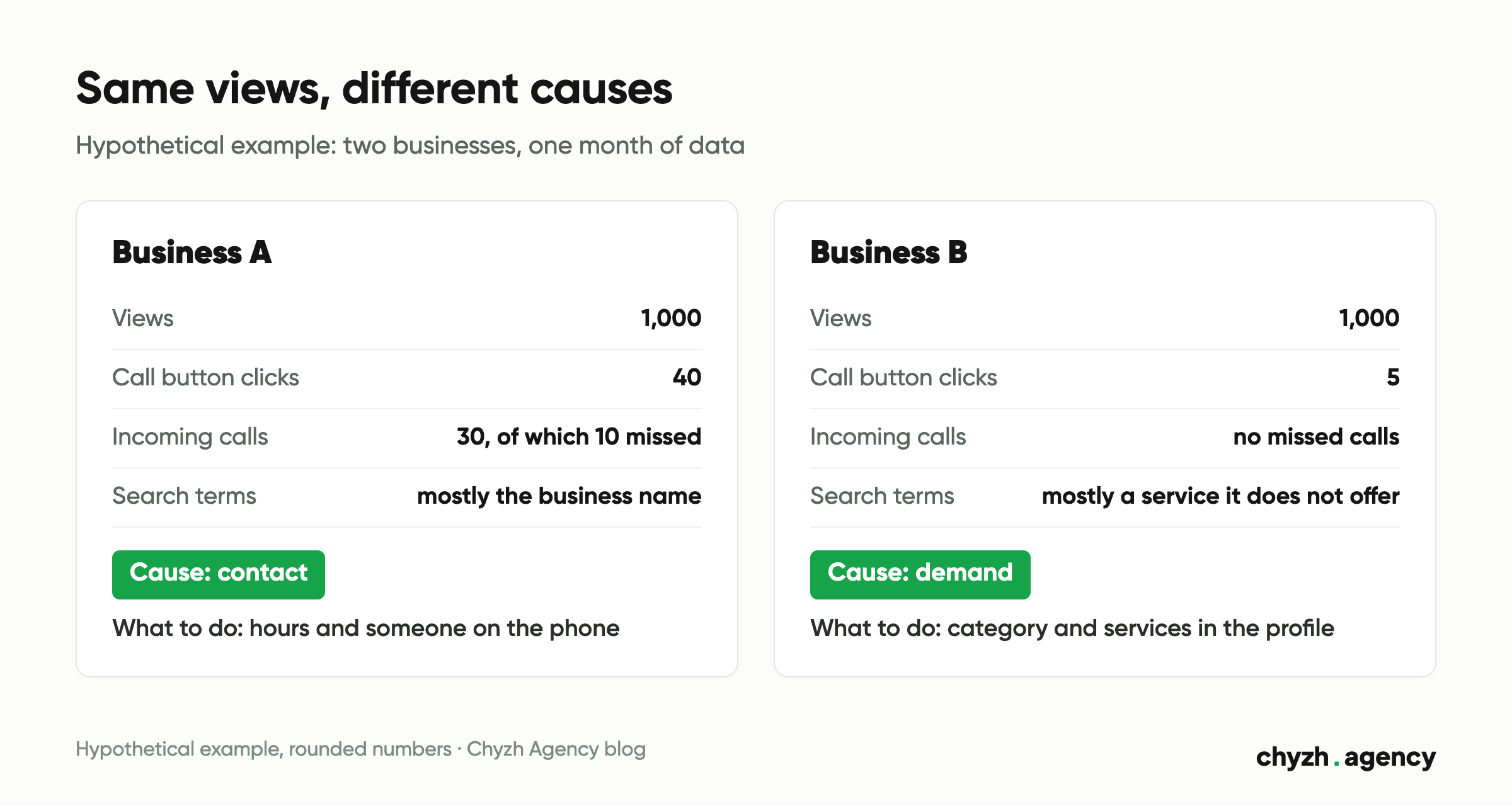
Two businesses each got 1,000 views in a month and few calls.
Business A: 40 call button clicks. The phone system log for the same month shows 30 incoming calls from new numbers, 10 of them missed, mostly at lunchtime and after 6 pm. Search terms are mostly the business name.
Business B: 5 call button clicks and no missed calls. Search terms are mostly a service the business doesn’t offer: the primary category in the profile is broader than what it really does.
The views are the same, the causes aren’t. Business A needs opening hours and someone on the phone, Business B needs to fix the category and services in its profile. New reviews or ads won’t be the first fix for either of them.
Is the profile shown to people looking for your service
Views can be high when the profile is shown to the wrong people.
Search terms. Take the list of search terms for several full months and split it into three groups: your business name, your service (with or without a city or district), and terms that have nothing to do with you. If your name dominates, the people viewing the profile already know you. Some of them are checking hours or the address and already have your number. Then the issue is visibility for your service, and the profile itself may be fine. If a noticeable share of terms is about someone else’s service, those people won’t call you.
Category and services. Google’s Guidelines for representing your business on Google say to use as few categories as possible, as specific as possible, describing what the business is. Categories must not be used as keywords. If your primary category is broader than what you do, or describes a neighbouring type of business, the profile is seen by people looking for something else.
Distance. Google names three main local ranking factors: relevance, distance and prominence (Tips to improve your local ranking on Google). A profile can rank well near your address and much lower in the area your customers usually come from. The Performance report won’t show this. Check a search for your service from a phone in a few districts, or use our Google Maps audit, which shows positions for one search term at points around your address.
Can a customer get in touch quickly
This is the cheapest part to check.
- Call the number in your profile from someone else’s phone at different times: morning, lunchtime, after 6 pm, at the weekend. The number in the profile should match the one on the website. Under Google’s guidelines the number must be under the business’s direct control, and a local number is preferred over a central call center helpline.
- Open your phone system log for the same period as the profile report and count missed calls by hour. If they cluster at certain hours, the problem is how calls are answered. Work on the profile won’t fix it.
- Opening hours in the profile should match reality, including holidays: Google separately recommends setting special hours. Someone who sees in the evening that you’re closed may go to a competitor, even if you answer the phone until 9 pm.
- If the profile has a messaging button (the API mentions WhatsApp as an example) or a booking link, send a message and make a booking yourself. Check who replies and when.
What people see on your website after clicking
Some people open the website first and call from there. That call doesn’t show up in the profile’s Calls, even though it started on Maps.
Walk the path on a phone:
- Where the profile link leads. Google’s guidelines ask for the phone number and website of the specific location. A chain’s home page makes people hunt for their address.
- Whether the number is visible on the first screen and tappable.
- Whether the form works. Send a test enquiry and check who received it and when.
- Whether the page answers what people want to know before calling: services, prices or terms, address, opening hours.
To see profile visits separately in analytics, add UTM tags to the website link. You can build a tagged URL with our UTM generator. After the change, check in GA4 how these visits are classified, and don’t change the tags without a reason, so periods stay comparable.
If there are plenty of website clicks but few enquiries, the diagnosis from there is the same as for any traffic without sales. For online stores we’ve covered it separately: ecommerce traffic but no sales.
How to check enquiry quality
Sometimes the calls are there and the owner still says “we get no calls”. What’s missing is orders: people ask about a service you don’t offer, ask the price with no intention to buy, are searching in another city, or it’s spam and sales calls.
For 2–4 weeks, log every enquiry in your CRM or a simple spreadsheet:
- date, time and channel: call, form, messenger;
- how the person heard about you (ask at the start of the call);
- which service and which area they were after;
- relevant or not, and why;
- outcome: booked, declined, no answer.
After two weeks you can already see the share of off-target enquiries and the reasons. If people want a service you don’t offer, go back to the categories and services in the profile. If they ask the price and don’t book, compare your terms with what competitors show in the same results.
At this step reviews work as a data source. Read recent reviews, yours and your competitors’ for the same search. Complaints like “couldn’t get through” or “nobody called back” point to a contact problem. Google counts the number of reviews and positive ratings among prominence factors, but new reviews won’t fix missed calls or a wrong category.
Diagnostic table: from symptom to next step
The first column describes what you see in the report or in the business. The rest suggests which explanation to check and what to do if it holds.
| Symptom | Possible explanation | Data needed | Check | Next step |
|---|---|---|---|---|
| Many views, few call button clicks | the profile is found mostly by name; people already have the number | search terms for several months | split terms into name, service and irrelevant | work on visibility for the service |
| Search terms show a lot of someone else’s service | primary category broader than the business, or a neighbouring one | categories and services in the profile, search terms | compare the category with Google’s guidelines | fix the category and services, compare search terms a month later |
| Many call button clicks, few conversations | nobody answers at certain hours, or the number is out of date | phone system log for the same period | call at different times, count missed calls by hour | sort out call answering or change the hours in the profile |
| Few call button clicks, more calls in the phone system | the number is dialled by hand or from the website | phone system log, GA4 with UTM on the profile link | compare calls and clicks for the same weeks | count enquiries in the phone system and CRM |
| Many website clicks, few enquiries | the link goes to a generic page, the form is broken, the number isn’t visible | GA4 with UTM, a test enquiry | walk from the profile to an enquiry on a phone | point the link to the location or service page, fix the form |
| Many direction requests, few calls | people come without booking, which is normal | directions, visits from the till or a log | compare directions with foot traffic | count visits alongside calls |
| Calls come in but they’re off-target | the profile shows for someone else’s service or area, terms unclear before the call | enquiry log for 2–4 weeks | count the share of off-target enquiries and why | fix the category, services, terms on the website |
| Views or clicks changed sharply | ads in the same period, season, changed hours or address, a second listing | dates of changes in the profile and ads, last year’s data | compare equal periods, separately with and without ads | explain the jump first, draw conclusions after |
Where to start fixing
- Record a baseline for 3 full months: views, search terms, call button clicks, website clicks, directions. Add the phone system log for the same period.
- Check contact: number, hours, missed calls, the website form. The results of these fixes show up in the phone system, with no wait for rankings to move.
- Go through the search terms, category and services.
- Set up enquiry tracking: UTM on the profile link, the “how did you hear about us” question, a spreadsheet or CRM.
- Only then move on to visibility: service and location pages, photos, a process for asking for honest reviews, positions in different districts.
Change one block at a time and note the date of every change. If you change the category, hours and website on the same day, a month later you won’t know what worked. Keep the delay in mind: Google updates search terms at the start of the month.
What this work includes when we do it is described in the scope of our local SEO work. If you’d like to hand the check over, send a link to your profile and your city through the form on our local SEO page. We’ll look at where the calls get lost and suggest next steps.
Author: Viktoriia Repetuk, Middle SEO Specialist. Reviewed by Dmytro Popryadukhin, Head of SEO.
Sources: Google Business Profile Help, “Understand your Business Profile performance & insights”, “Guidelines for representing your business on Google”, “Tips to improve your local ranking on Google”: no update date shown on the pages, text checked against the raw HTML on 19 Nov 2026; Business Profile Performance API documentation, DailyMetric, updated 16 Oct 2026, checked 19 Nov 2026.
Related articles
Rankings flat, clicks down? A 9-step Search Console check to tell AI Overviews from the...
How to add a business to Google Maps without a duplicate: find an existing listing,...
Definitions, a monthly report template and a real shop where organic search brought 9.5% of...