
Sadok.app — the app a kindergarten runs on: children, attendance and payments
A mobile CRM for kindergartens where parents, teachers and the front office share one product, with invoices, bank reconciliation and in-app payment. iOS and Android from a single Flutter codebase, Python on the server.
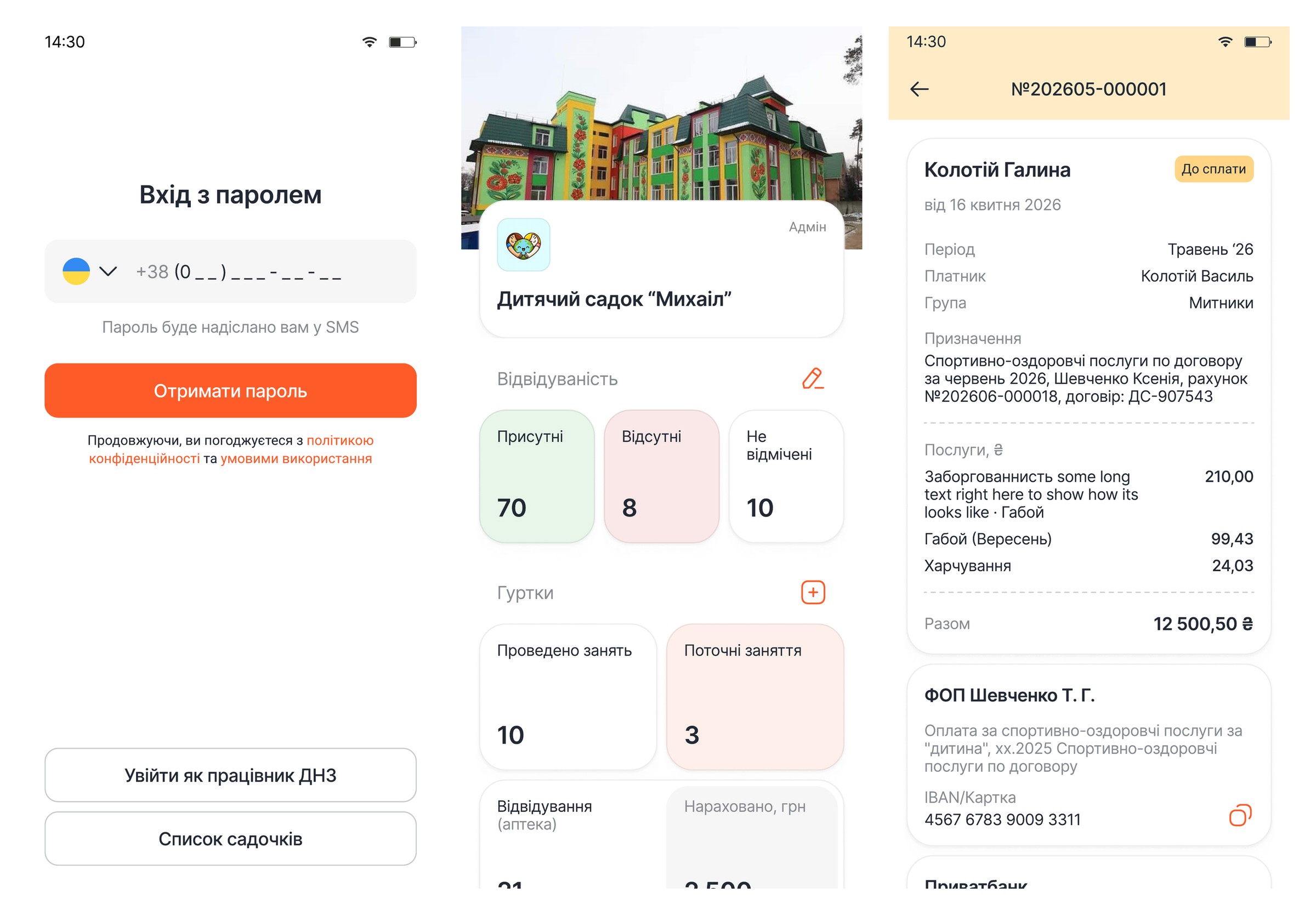
Move a kindergarten’s day into an app — money included
Sadok.app is a Ukrainian CRM app for kindergartens, development centres and after-school clubs. The brief only sounds simple: give parents a line to the kindergarten on their phone. Behind it sat the bookkeeping — groups, attendance, clubs, meals and monthly invoices the kindergarten had been running in spreadsheets and messengers. The job was to build a mobile app in Flutter for iOS and Android at once, on a backend that could carry a real institution’s records.
Not one app but three products sharing a database
A parent opens it for a minute: is my child at the kindergarten, what is the group doing. A teacher works in it for a whole shift: marking attendance, keeping lists, adding photos. The office closes the month: issuing invoices, matching payments against the bank statement, pulling reports. Three scenarios, three sets of permissions, one set of data underneath.
Money added its own layer. A wrong invoice is not a ticket in the backlog, it is a phone call with a parent. So the finance side got statuses, drafts, transaction matching and a way back — rather than one number to pay.
Sign in without a password
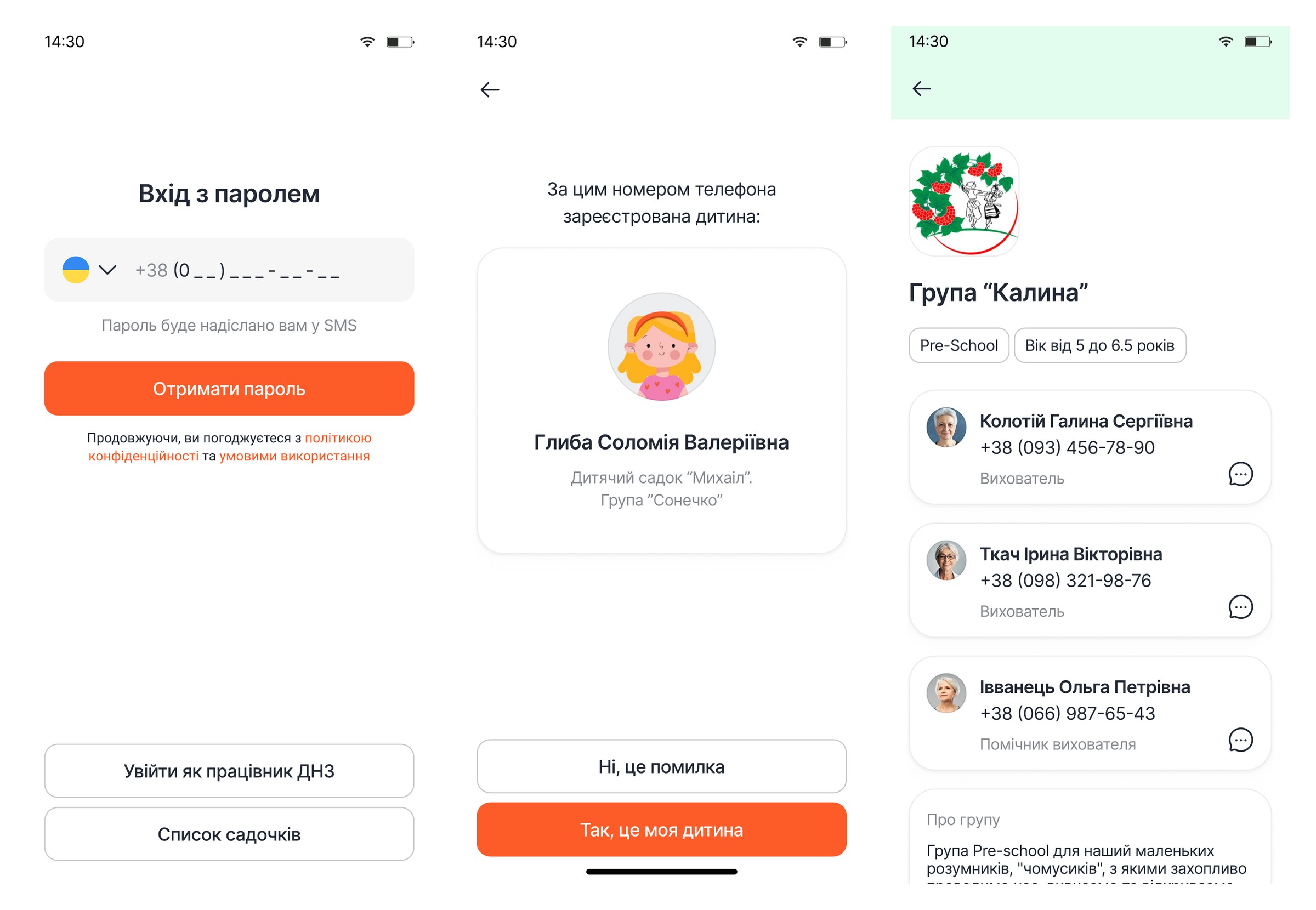
Phone number and an SMS code. The number is already tied to a child, so the app shows who it found and asks the parent to confirm: yes, that is my child.
Three roles, one codebase
Parents, teachers and kindergarten staff sign into the same app but see different sections. The role model lives on the server, not in hidden buttons.
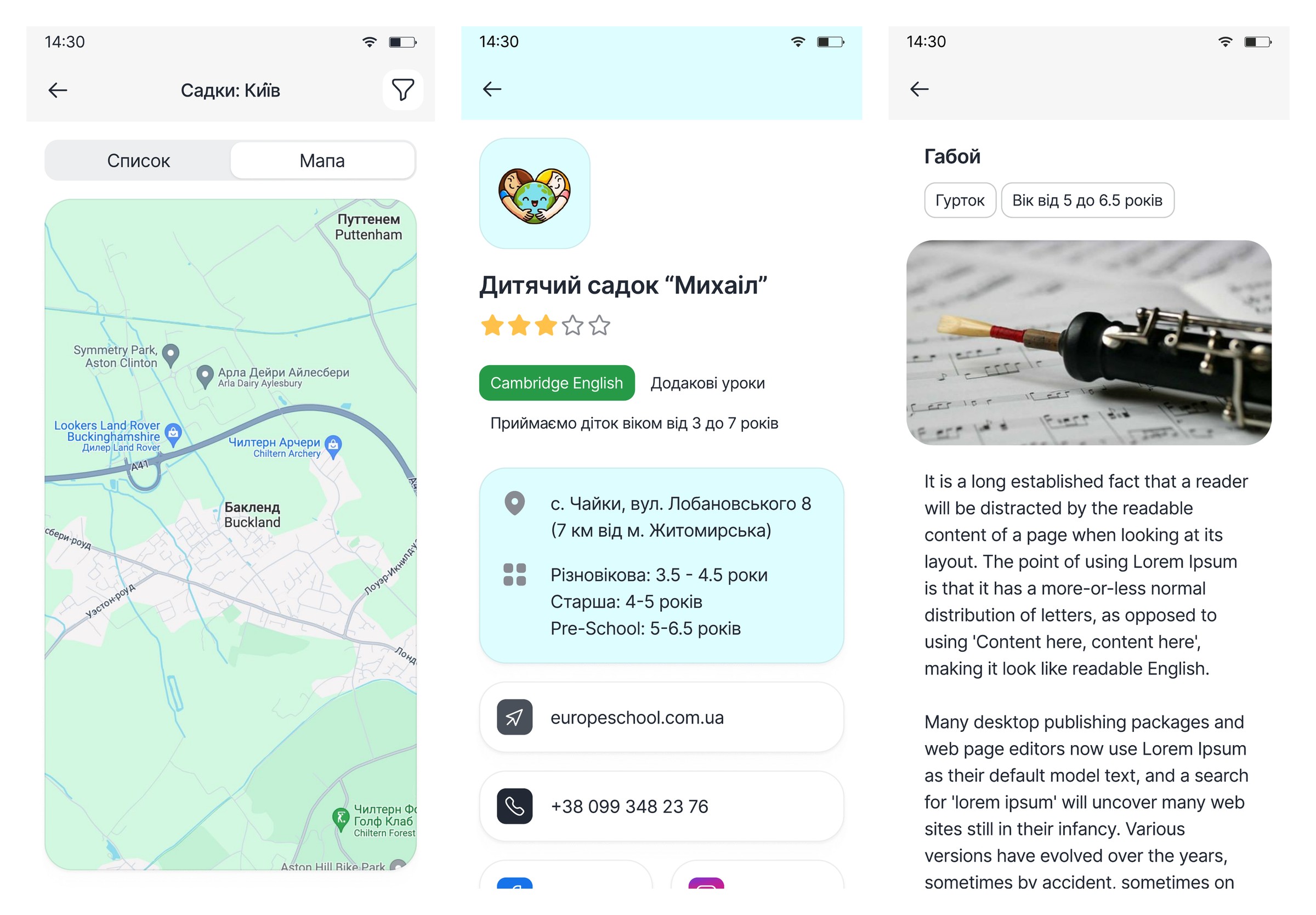
Kindergarten catalogue
Search as a list or on a map, filter by region and city, distance to each place. The card carries rating, description, programmes and clubs.
Clubs that check the clock
Enrolment reads the timetable: if the child already attends another class at that hour, the app refuses the clash and says why.
Groups and daily routine
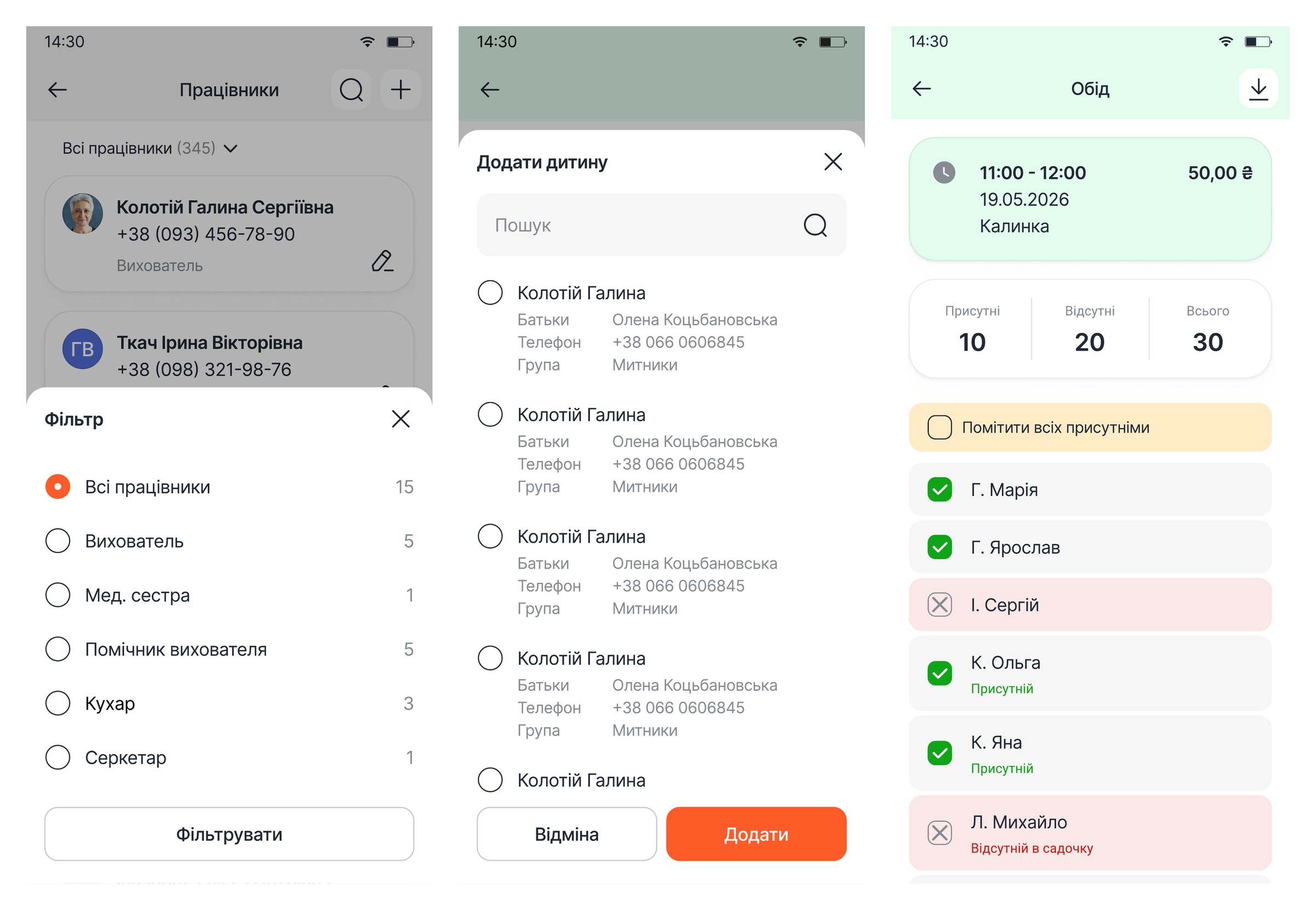
A group card with age range, occupancy, teachers and the hour-by-hour routine. Lists of children and parents with contacts.
Attendance
Teachers mark who is in and who is out — for the group and for a single paid session with its time and price. Parents see their own child’s status.
Events calendar
A month view filtered by type: teacher and parent birthdays, group events, institution events. Staff create an event from the app.
Chat with canned replies
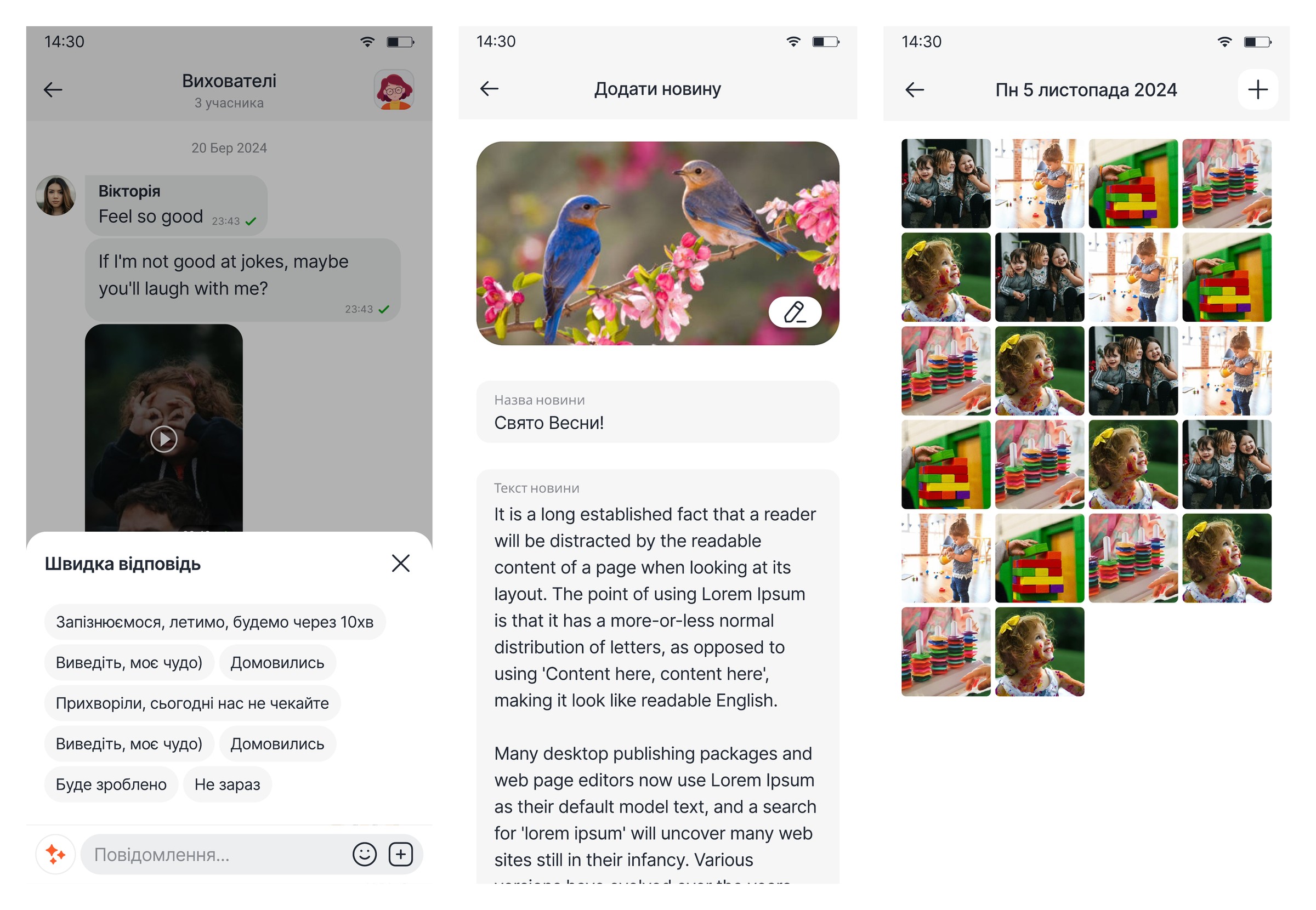
Messages with the teacher, video notes in the thread and ready-made phrases for the usual situations — a parent answers with one tap instead of typing on the move.
News and photo gallery
The kindergarten posts news with pictures; each group keeps its own gallery by date. Parents stop digging through chat history for photos.
Polls
Staff build a poll from custom fields and watch the active ones on the dashboard.
Invoices with a lifecycle
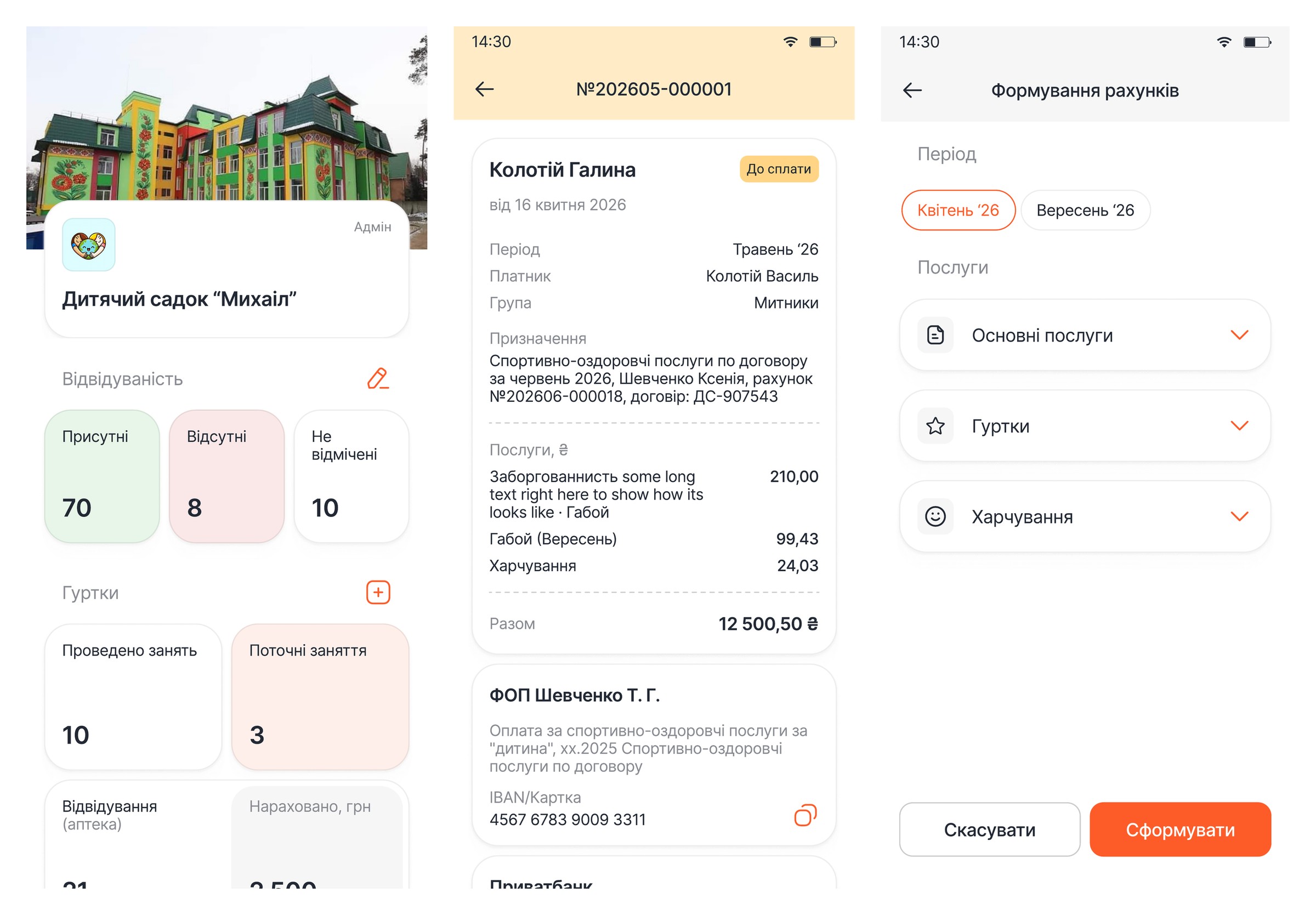
Draft → due → paid, and back again. An invoice holds the period, payer, group, service lines, carried-over debt and the total.
Issue a whole month at once
The office picks a month and the system bills everyone for services, clubs and meals. What is left is to check and publish.
MonoPay checkout
Parents settle an invoice inside the app. Bank details can be copied instead, for anyone who prefers to pay by hand.
Matching against the bank
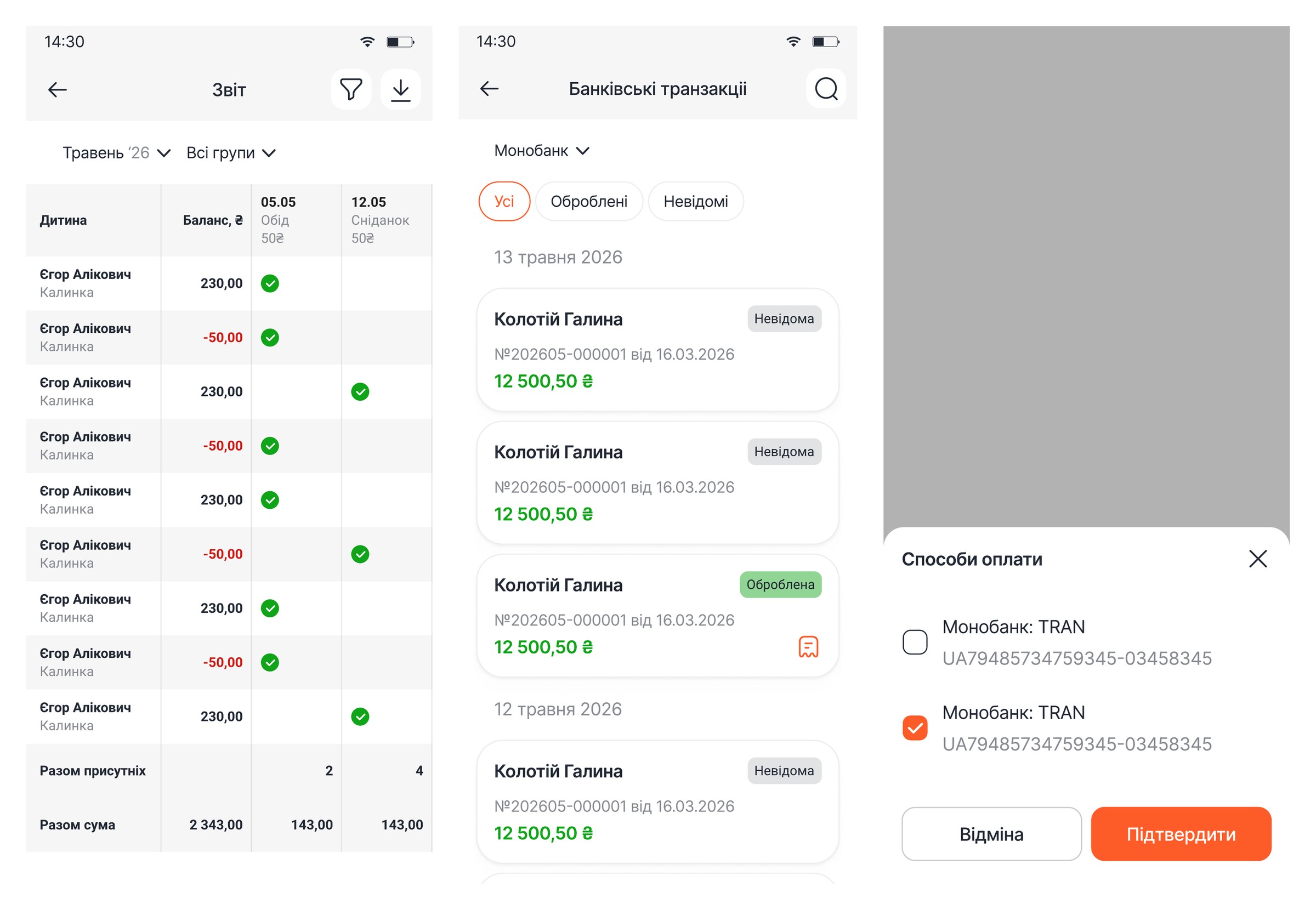
Transactions arrive from the bank and split into matched and unidentified. An accountant ties the unidentified ones to an invoice by hand, so money stops falling between the statement and the ledger.
Meals on their own ledger
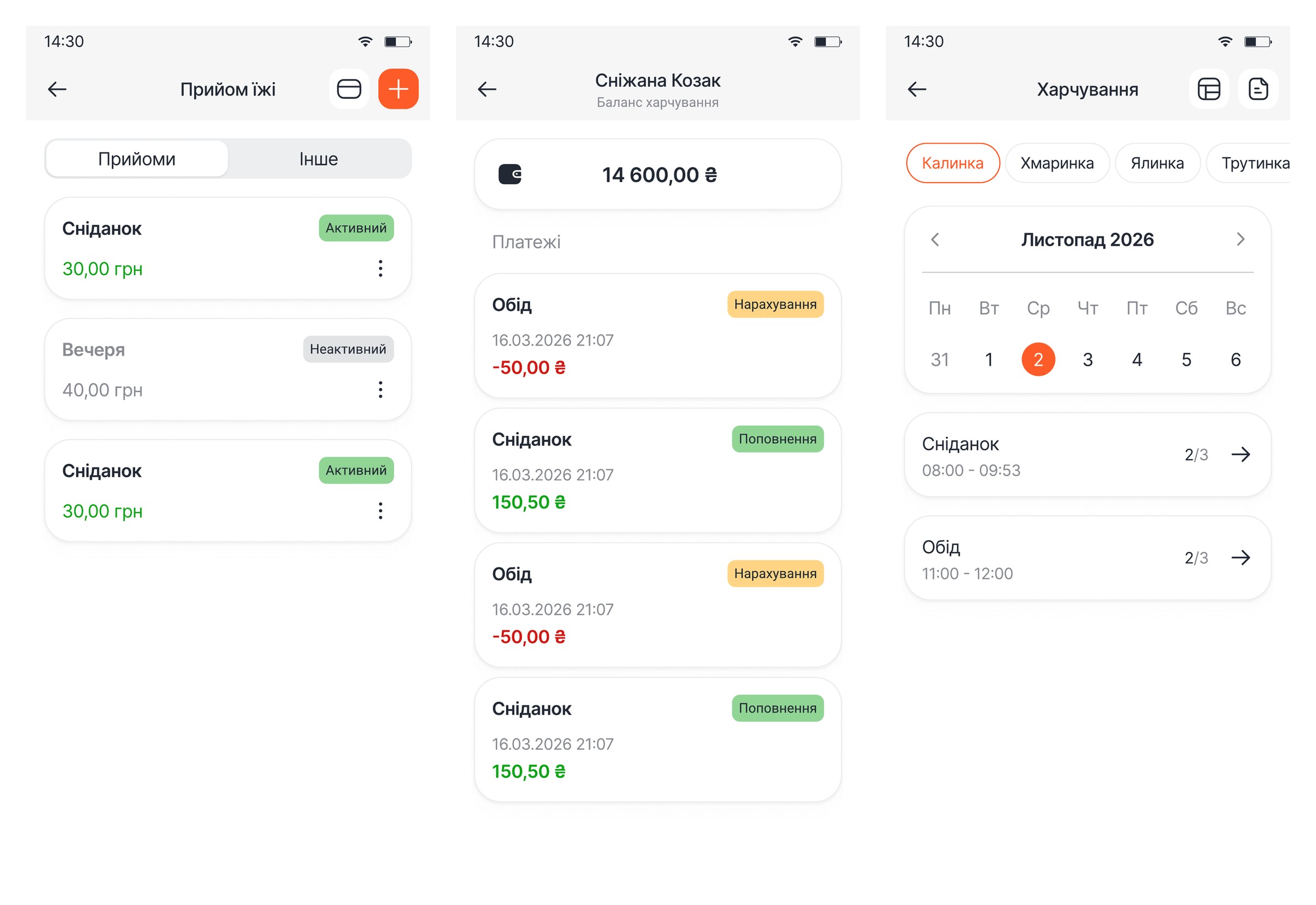
Sittings with a timetable, menus per group and a separate balance topped up apart from the monthly invoice.
Reports you can export
A monthly sheet by group and child: balance, meals taken, total present and total charged. Exports to a file.
Phone number to child’s card in three screens
No email-and-password sign-up. Parents want an app, not an account.
Find a kindergarten, read the programmes, book a club
Everything about the child in one place, not three chats
The whole kindergarten in figures on one screen
The admin home screen is a daily summary rather than a menu: children present, absent and not yet marked; club sessions held and the money charged for them; occupancy, news and running polls. The same data then turns into invoices.
The directories everything else is built from
The hard part is not billing — it is agreeing with the bank
Charging an amount is easy. Working out which parent has already paid is not, when a transfer arrives with someone else’s reference or no invoice number at all. So bank transactions are pulled into the app and split into matched and unidentified, and an accountant ties the unidentified ones to an invoice by hand.
A separate ledger, because it is counted differently
A monthly service costs the same whether the child came every day or not. Lunch does not: it is charged on the fact, from the teacher’s marks. Two different mechanics do not fit one invoice line, so meals run on their own module with their own balance.
What we built it on
Flutter gave us both platforms from one codebase — for a product that keeps growing by modules, the saving lands on every later change, not just the first release. Python on the server holds the roles, the records and the money. The hard part was never drawing screens; it was separating three audiences cleanly enough that each one sees its own app. How that interface was designed sits in a separate case study on the design system.