
How to choose a mobile app development company
 Serhii Kolodynskyi
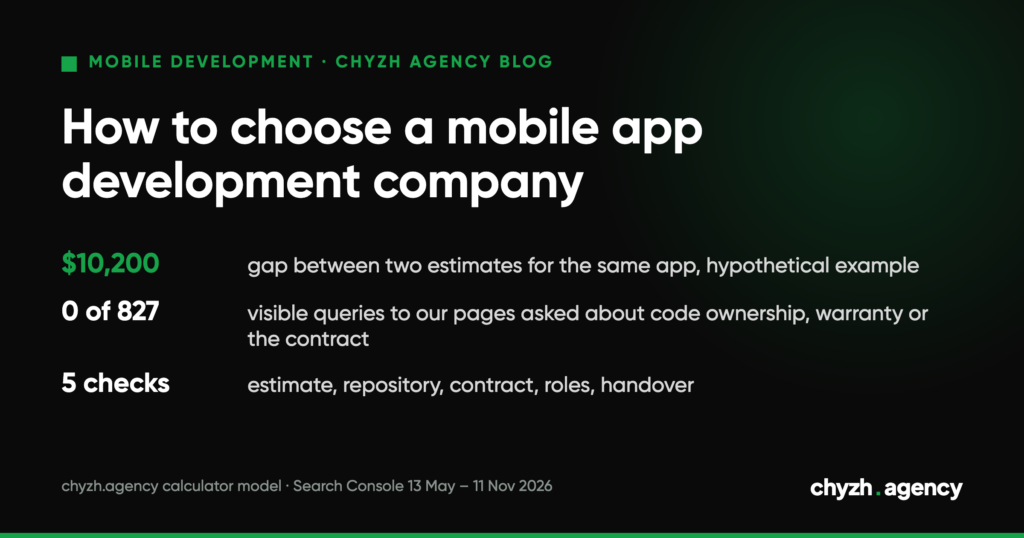
Short answer. The total on a proposal tells you little until you can see what it covers. Bring the proposals to the same scope, then check five things in each: the estimate, the repository, the contract, the team roles and the handover. By our calculator model, the same iOS and Android app built with Flutter costs $17,450 without a backend, admin panel, analytics and support, and $27,650 with them.
We send proposals like these ourselves, so at the end we show how we answer the same questions. Check us as strictly as anyone else.
What app buyers search for, and what they almost never ask
We looked at the queries that bring people to our mobile development pages. Source: Google Search Console, 18 pages (app development, cost calculator, iOS, Android, Flutter, design; Ukrainian, Russian and English versions), 13 May to 11 November 2026. In total, 827 visible queries (Search Console hides some queries) and 52,775 impressions from them. Most of the queries are in Russian and Ukrainian.
| What the query contains | Queries | Impressions | Share of impressions |
|---|---|---|---|
| price, cost, calculator | 346 | 26,722 | 50.6% |
| order, custom-made | 74 | 5,572 | 10.6% |
| studio, company, agency, developer | 71 | 2,633 | 5.0% |
| “turnkey” | 27 | 2,173 | 4.1% |
| registering a developer company in the app stores | 2 | 43 | 0.1% |
| code ownership, warranty, support, contract | 0 | 0 | 0 |
| how to choose, rating, reviews | 0 | 0 | 0 |
Half of the impressions are about price. A visible group searches for “turnkey development”. Among the 827 visible queries there is not one about who will own the code, how long the warranty lasts or what happens after release.
That is exactly where proposals differ most. “Turnkey” can mean a different set of work at two studios, and search will not show you that. You will have to ask in the conversation.
Limits of this data. These are only the queries for which Google showed our pages; they do not describe the whole market. For “how to choose an app development company” other sites rank. Search Console hides rare queries. The groups overlap, so the shares do not add up to 100%. We did not count clicks: in early November, bots generated part of the clicks on the site’s Russian-language pages.
A hypothetical example: one app, two estimates
The example is hypothetical, not a real client and not our proposal. A product ordering and delivery app: iOS and Android with Flutter, 10–25 screens, custom design. Two studios got the same description and named a price. We entered both proposals into our app cost calculator. The model is simple: a $3,000 base plus the price of each option, and for two platforms on Flutter the calculator multiplies the sum of the options by 1.7.
| Estimate line | Option price in the calculator | Studio A | Studio B |
|---|---|---|---|
| Base development | $3,000 | yes | yes |
| 10–25 screens | $2,000 | yes | yes |
| Custom design to match the brand | $2,000 | yes | yes |
| Authorization, push notifications, geolocation | $500 each | yes | yes |
| Catalog with filters, cart and checkout, online payment | $1,000 each | yes | yes |
| Backend and REST API | $2,500 | no | yes |
| Web admin panel | $2,000 | no | yes |
| Analytics | $500 | no | yes |
| Support for the first 3 months | $1,000 | no | yes |
| Publishing to the App Store and Google Play | $0 | yes | yes |
| Total by the model | $17,450 | $27,650 |
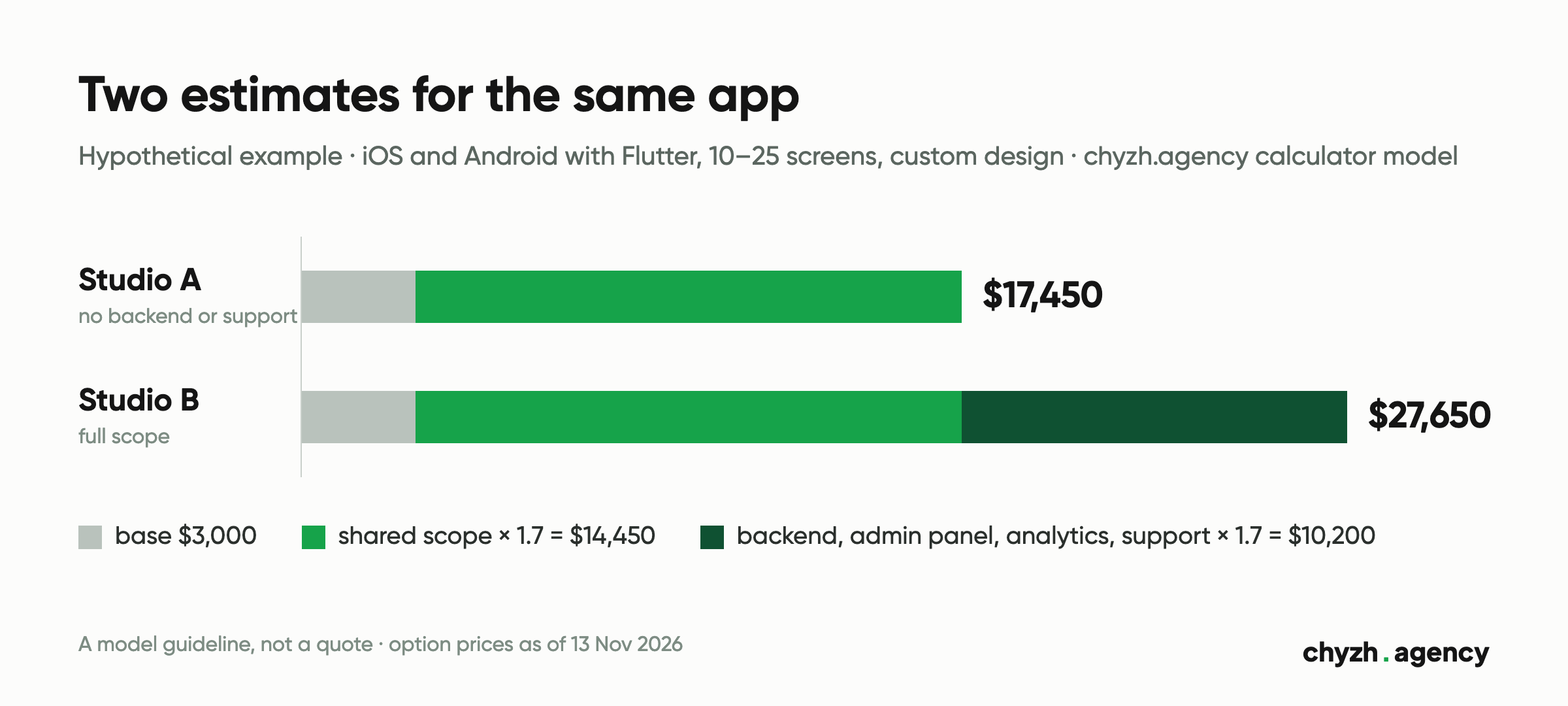
The difference is $10,200: four lines worth $6,000, multiplied by the two-platform coefficient.
Studio A’s estimate describes a different product: an app with a cart and payments that has nowhere to store orders and no one to add products. Those lines will still appear later, as a separate invoice or as work for your own developer. What goes into the backend and why you need an admin panel is covered in our article on the app backend and admin panel.
The second gap comes from technology. The calculator prices the same full scope as two separate native apps with a 2.0 coefficient, which gives $32,000. When that difference is justified is explained in our comparison of cross-platform and native development.
Limits of the example. The calculator gives a guideline; we name an exact figure after discovery, once the screens and integrations are known. The model applies the platform coefficient to every option, including the backend and the admin panel. In a real estimate those lines may be priced separately from the platforms, and then the gap would be smaller.
How to get proposals you can compare
Send every studio the same written description. What it should contain is covered in our article on the mobile app requirements document. Three or four proposals are realistic to compare; more gets hard.
Ask for an estimate broken down by the lines in the table above, plus a separate list of what is not included. A studio that cannot say what is not included usually has not understood the scope yet.
If you have no requirements document, ask for discovery to be priced separately and for a list of what you will get from it. For a full product, our discovery and requirements take 2–3 weeks: a founder interview, user stories, architecture, a stage plan and a stack recommendation. For an MVP the cycle is shorter. How to estimate a first version and what to leave out of it is in our article on estimating an app MVP.
Then enter each proposal into the calculator with the same options. If the model gives a noticeably higher total than the quoted price, look for the missing line.
Checklist: five checks for every proposal
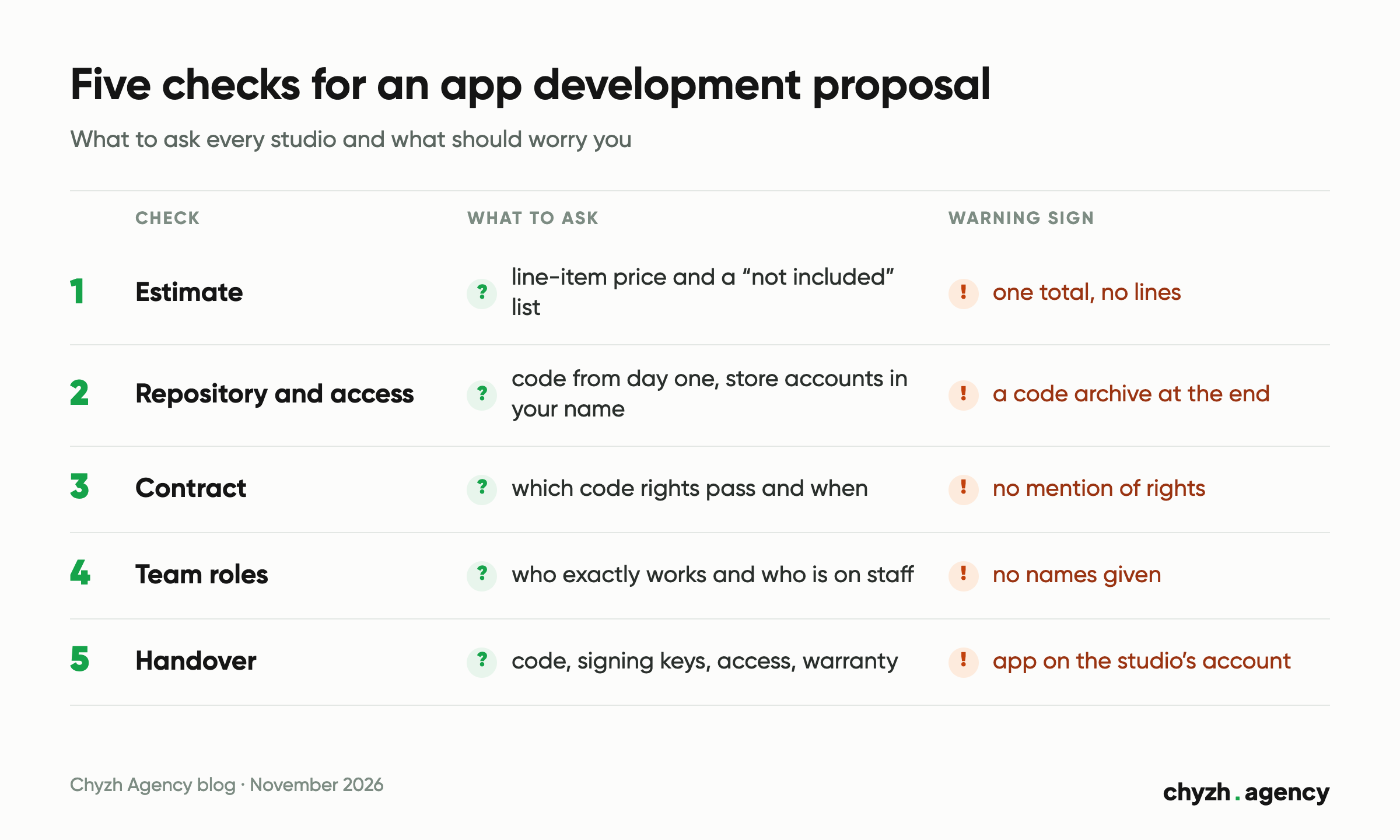
Estimate
- The price is broken down by line: platforms, screens, design, features, backend, admin panel, publishing, support.
- There is a “not included” list.
- Payments are tied to stages, and you can check the result of each stage yourself: designs, a build, a working feature.
- Discovery and the requirements document are priced as a separate line.
Repository and access
- Access to the repository from day one. A code archive at the end does not show whether code is being written or who writes it.
- Test builds during the work: an APK for Android and TestFlight for iOS. TestFlight lets you invite up to 10,000 external testers; Apple reviews the first build before they can get it.
- Developer accounts on the App Store and Google Play are registered to your company. Apple shows the organization’s name as the app’s seller on the App Store; membership costs $99 a year, and an organization needs a D-U-N-S number. Google Play charges a one-time $25 and also requires a D-U-N-S number for an organization. A personal Google Play account created after 13 November 2023 must run a closed test before publishing: at least 12 testers for 14 days.
- Moving an app from the studio’s account to yours is possible, but it is a separate procedure. At Apple, all TestFlight builds and testers are removed before the transfer, and the Apple Pay merchant ID does not move to the new account. On Google Play both accounts must be active, and payout reports stay with the old one. It is simpler to publish from your account from the first release.
- The server, domain, cloud services and push notification service are registered to you or handed over from a list.
Contract
- Code ownership. If your contractor is in Ukraine: Ukraine’s Law on Copyright and Related Rights lists computer programs among copyright works (Art. 6). Under Art. 15, economic rights in a work created to order pass to the customer in full from the moment of creation, unless the commissioning contract provides otherwise. Contracts often do: for example, rights pass after the final stage is paid. That is a normal term if it is written explicitly and lists the rights. Rules differ in other countries, and the safe step is the same everywhere: an explicit written assignment of rights.
- Form. Under Ukraine’s Civil Code (Art. 1107), a contract on economic intellectual property rights is made in writing or in electronic form; otherwise it is void.
- Chain of rights. If the studio uses freelancers or subcontractors, ask whether they have assigned their rights to the studio. A studio cannot pass on what it never received.
- Stages with acceptance criteria and a signed acceptance act for each.
- Warranty: its length, the date it starts from, and what counts as a warranty case. A bug in a finished feature is fixed under warranty, a new feature is paid for separately, and the line between them is worth writing down.
- What happens if a store rejects the app.
Show the contract to a lawyer before signing. We describe what to check; this article is not legal advice.
Team roles
- Names and roles of the people on the project: manager, designer, mobile developers, backend developer, tester.
- Who of them is on staff and whom the studio will bring in.
- Who does code review and which devices the app is tested on.
- Portfolio. Open the apps from the case studies in the store, look at the last update date and install them. The store often lists the client as the developer, and that is how it should be. WiFi AR, which we built for Wi-Fi Solutions, is listed on Google Play under the name Wi-Fi Solutions: 5M+ downloads, last updated 27 April 2026 (data as of 13 Nov 2026). So for any case study, ask for a contact on the client’s side.
Handover
- Code in your repository with build instructions.
- Signing keys and certificates, access to the server, database and admin panel.
- API documentation, if the studio built the backend.
- The app is published from your account.
- A list of known limitations and the warranty start date.
How we answer these questions
| Checklist question | At Chyzh Agency |
|---|---|
| Access to the code | GitHub from day one, every commit visible |
| Code ownership | rights pass to your company after the final stage is paid |
| How to follow the work | test builds: an APK for Android and TestFlight for iOS |
| Support after release | first 30 days free |
| Warranty | MVP 1 month, mid-size project 2 months, complex project 3 months; enterprise 3+ months of support |
| Store rejection | if it is our mistake, we fix it for free |
Timelines and prices by project type, current as of 13 Nov 2026, and the people who run the project are on the page CHYZH team and development stages.
What to prepare before talking to a studio
- A one-page product description: who the app is for, what it does, which platforms.
- Features split into “first version” and “later”.
- Whether you need a backend and an admin panel.
- The budget and the date by which the app should be in the stores.
- The legal entity the developer accounts will be registered to.
With this list, run your scope through the calculator, then compare proposals against the checklist. To see a project whose scope included the requirements, design, iOS and Android apps and a CRM with accounts for vets, clinics and private users, see a mobile project example: PetsCare.
Author: Serhii Kolodynskyi, Head of App Development. Reviewed by: Mykola Tabuchenko, Senior Mobile Developer.
Sources: Google Search Console, chyzh.agency property, 18 mobile development pages, 13 May – 11 Nov 2026, 827 visible queries; chyzh.agency app cost calculator model (option prices and coefficients from the page code), 13 Nov 2026; Apple Developer, Enrollment, TestFlight, Overview of app transfer, checked 13 Nov 2026; Play Console Help, Get started with Play Console, Choose a developer account type, App testing requirements for new personal developer accounts, Transfer apps to a different developer account, checked 13 Nov 2026; Law of Ukraine on Copyright and Related Rights No. 2811-IX, Art. 6 and 15, version of 31 Jul 2026 (in Ukrainian); Civil Code of Ukraine, Art. 1107, version of 5 Aug 2026 (in Ukrainian); WiFi AR listing on Google Play, 13 Nov 2026; terms on the chyzh.agency mobile app development page, 13 Nov 2026.
Related articles
A checklist for accepting a test build: 5 test devices by market share, sandbox payments,...
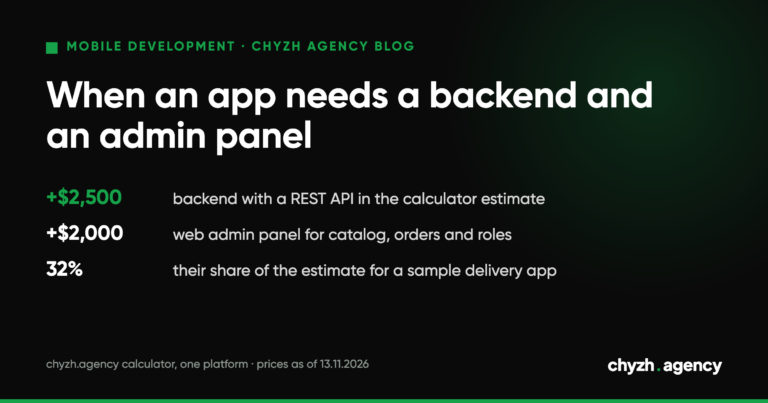
Does your app need its own server and admin panel: a feature table, data schema,...
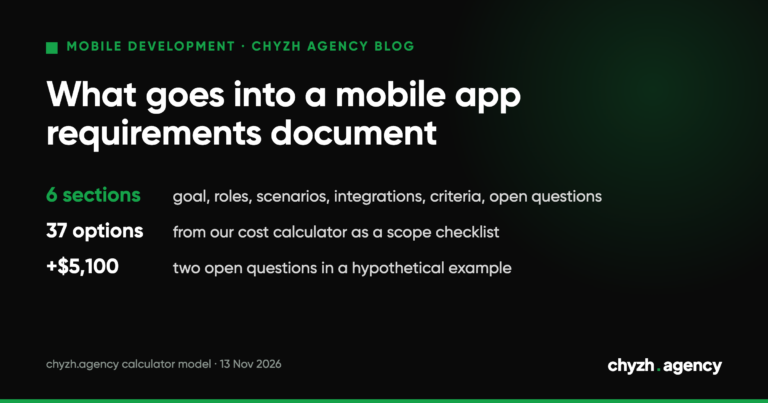
What the client writes and what the team adds: roles, scenarios, integrations, acceptance criteria. A...